Everything Muninn does today

The features in version 0.9, which we use on our own computers.

Overview

A morning report and board of open cases.

  • Service update: an AI-written daily report that updates as you work; click a case to act on it
  • Departures: open cases ranked by priority, with time, sender, case, track and status
  • Filters for cases that need you, are waiting, are snoozed or are open
  • Counters for unanswered email, waiting cases, today's reminders and missions to approve
  • Older unanswered email is grouped by an age limit you choose; close all at once, with undo
  • Cases update when you forward, delete or archive; undo reopens them
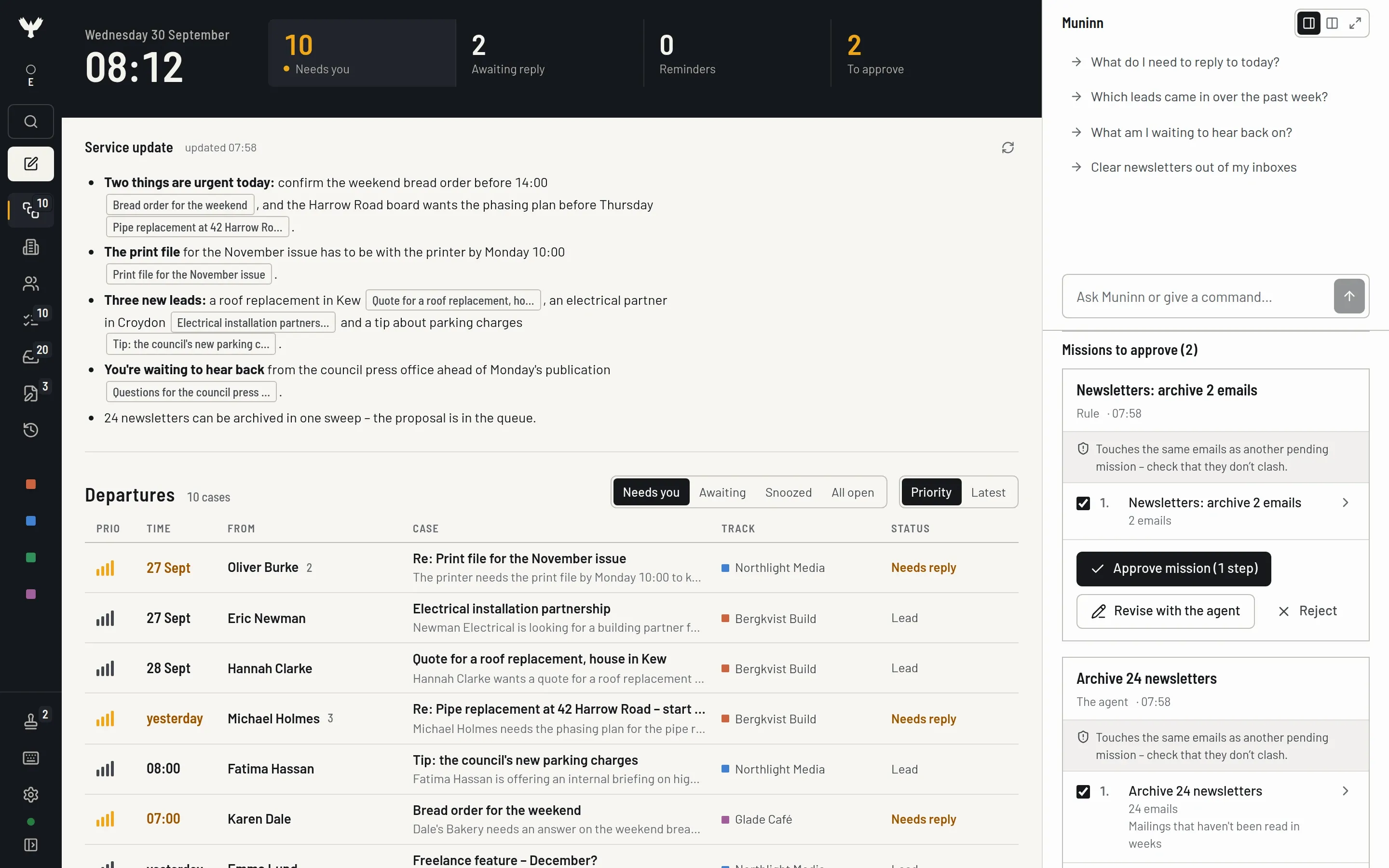
Overview – Screenshot with fictional demo data.

Businesses

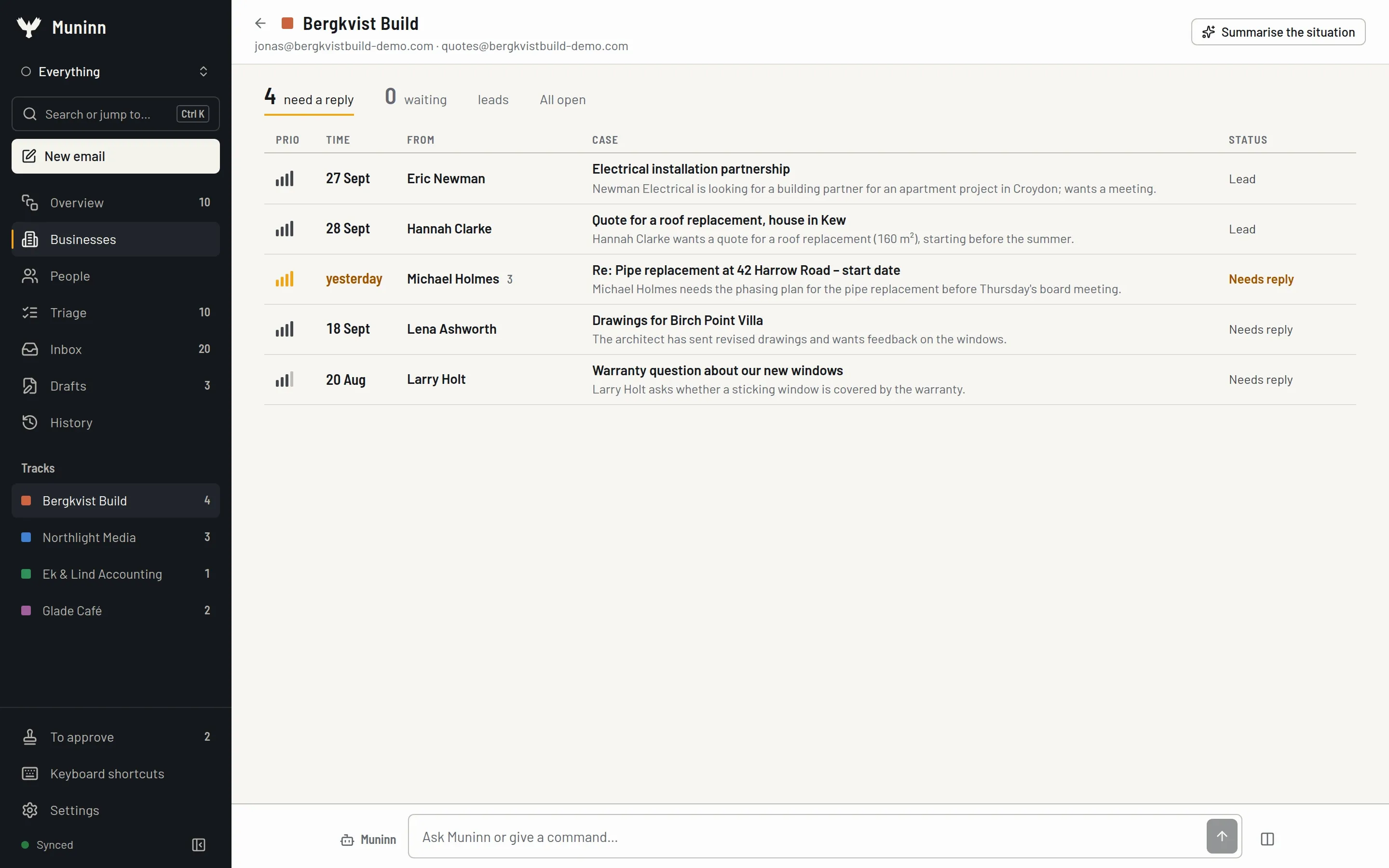
A view of each business.

  • Group accounts by business; Muninn suggests groups based on domains
  • A board per business with unanswered email, waiting cases and leads
  • Each business has its own track color throughout the app
  • Request a summary of the business
Businesses – Screenshot with fictional demo data.

People

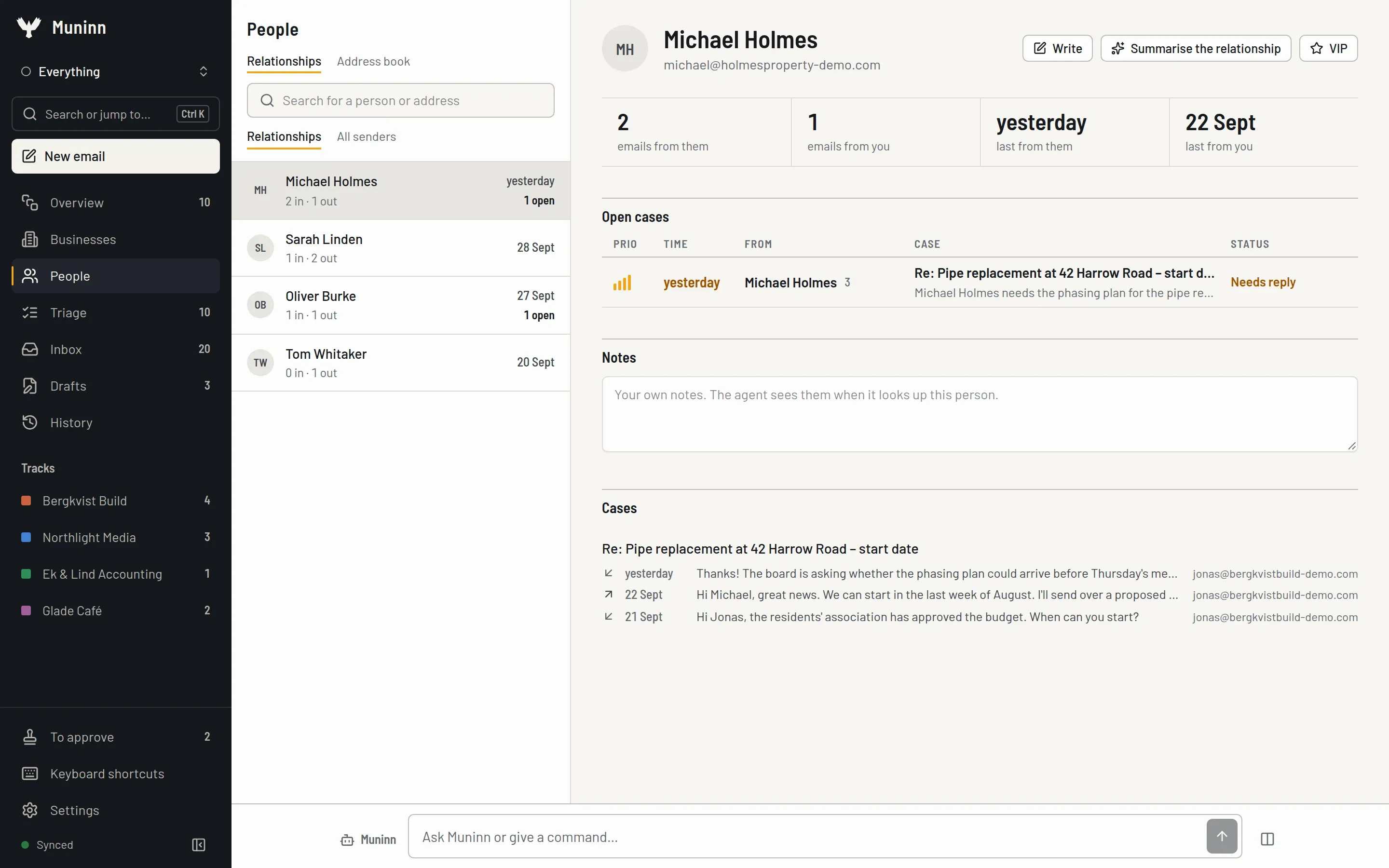
Email history with each person, across all accounts.

  • Your email history with a person across all accounts
  • Incoming and sent email, with dates for the latest message and reply
  • Mark people as VIP for higher priority and notifications during quiet hours
  • Your notes about each person, which the agent can read when helping you
  • Request a summary of the relationship
People – Screenshot with fictional demo data.

Triage

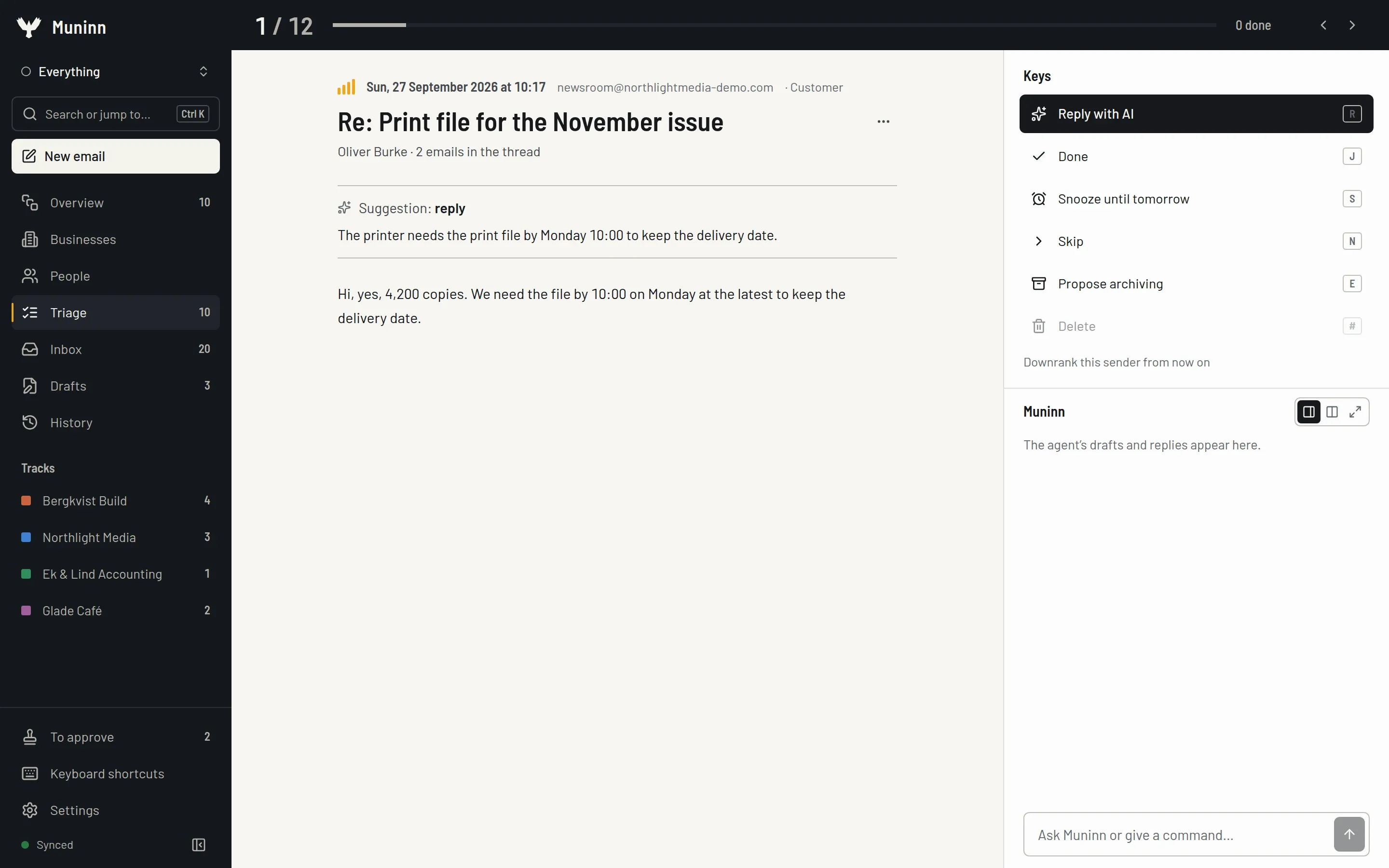
One case at a time, using the keyboard.

  • R reply with AI, J done, S snooze, N skip, P back, E suggest archiving
  • Suggested actions for each case based on category, urgency and signals
  • Lower priority for a sender or domain; the model learns from it
  • Snoozed cases return when due, or earlier if the other person replies
Triage – Screenshot with fictional demo data.

Inbox

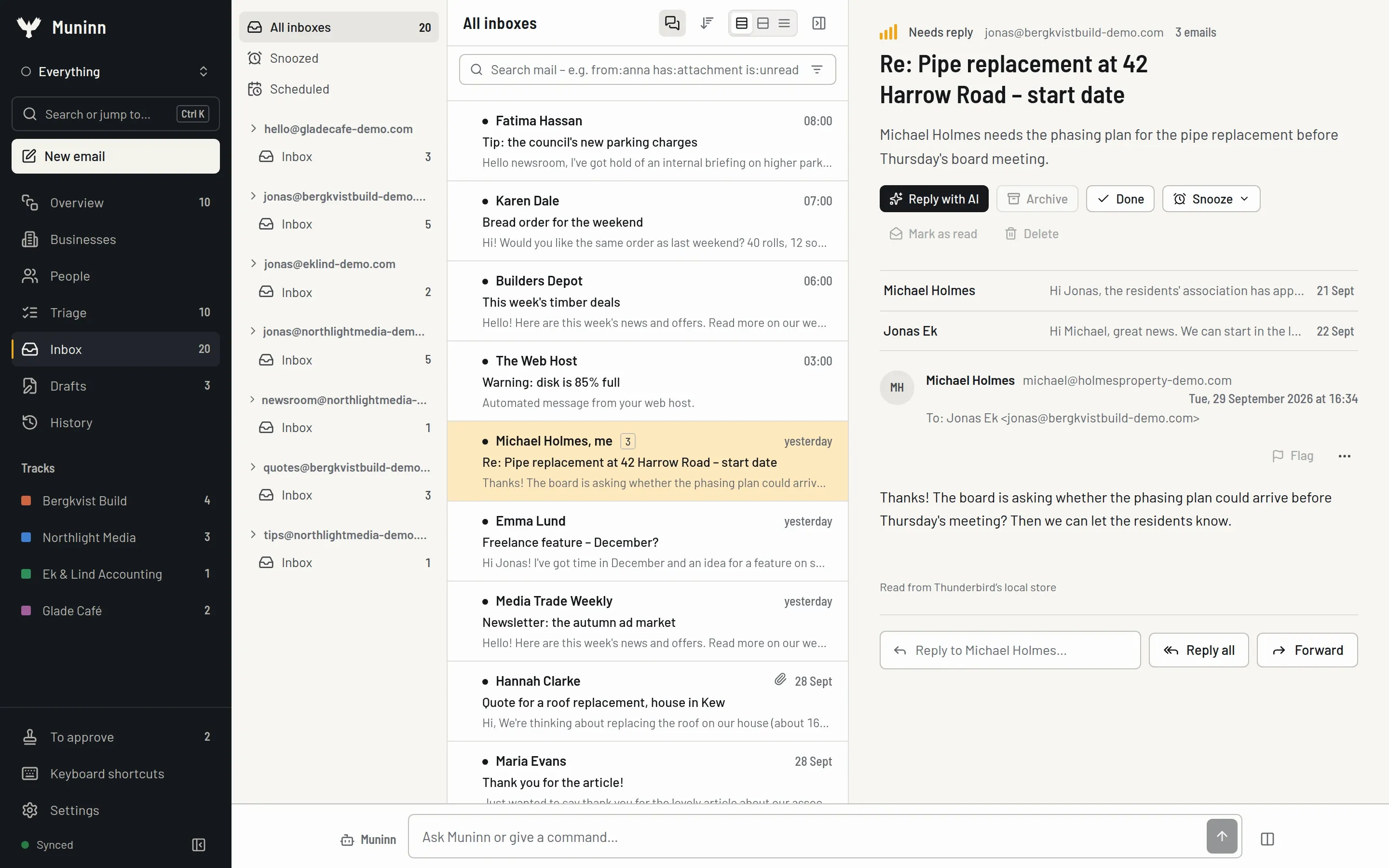
A classic inbox for all accounts.

  • Folders, message list and reading pane across all accounts
  • Optional threaded conversations
  • Select several (x, shift-click) to archive, delete, flag, forward or ask the agent
  • Each archive is confirmed and can be undone
  • Choose accounts to monitor; the others stay searchable but are excluded from the report
Inbox – Screenshot with fictional demo data.

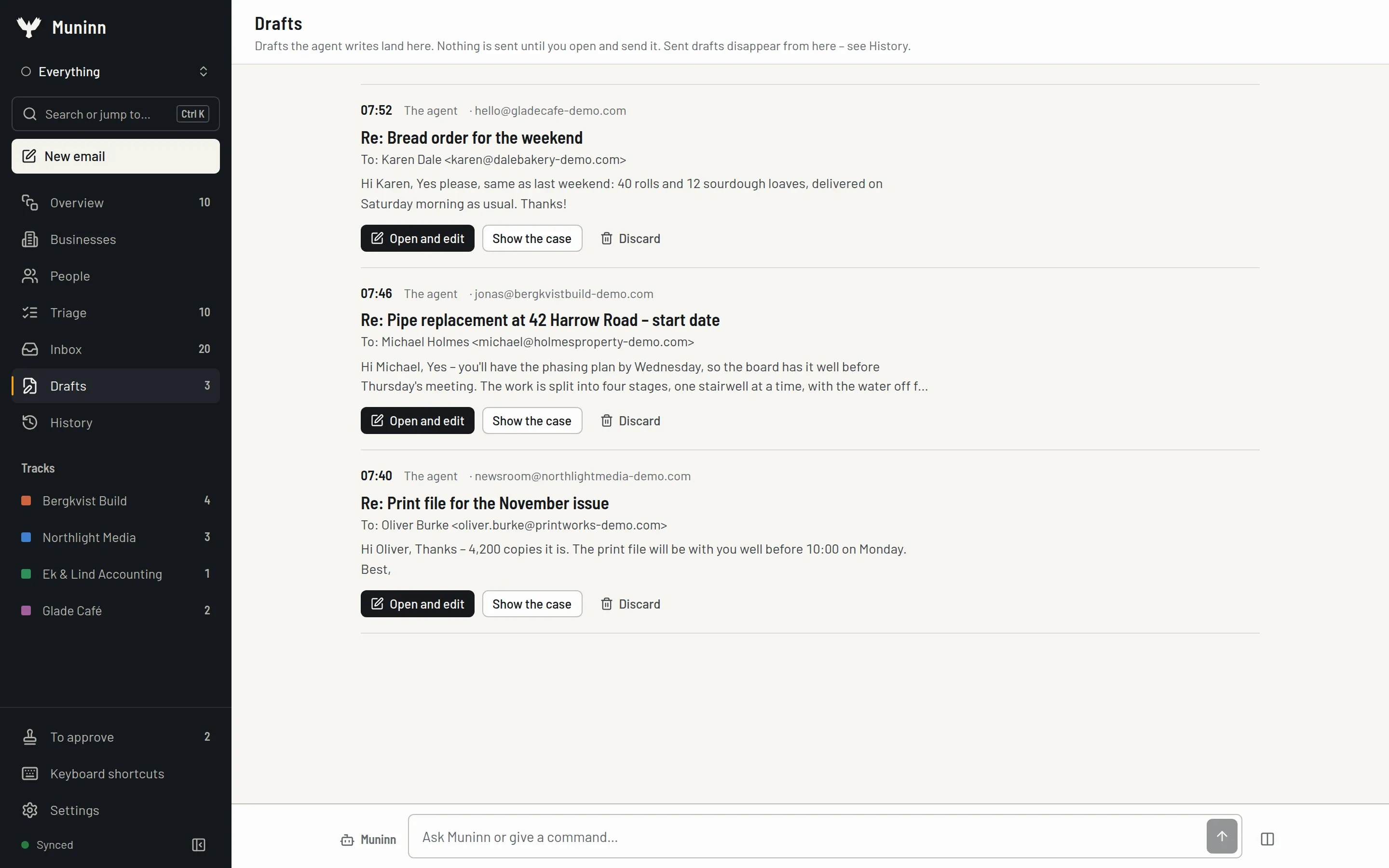
Drafts in your voice

Review drafts before sending.

  • Write a reply with AI, make it shorter, more formal or friendlier, proofread or translate
  • Describe the changes you want in your own words
  • Style learning at four levels: your base style, business, mailbox and relationship
  • Your edits to AI drafts refine the style profile, which you can read and edit
  • Replies in the recipient's language
  • Review agent drafts and approve sends; authorized rules can run automatically
  • Signatures per identity: import, upload or create with the built-in generator
Drafts in your voice – Screenshot with fictional demo data.

Ask Muninn

Agent tools in every view.

  • A command bar in every view with answers shown step by step
  • Tools for searching, counting and reading threads, contact history, drafts, priorities, snoozing and rules
  • Research leads with web search and lookups
  • Editable skills for case handling, replies, lead research, cleanup, unsubscribing, rules, reports and batch forwarding
  • Describe how you work and Muninn proposes an instruction for you to activate
  • Background jobs for hundreds of emails, with a daily token limit and support for restarts
  • A log for each answer with steps, time and token usage
  • Dictation with local Whisper or a provider of your choice

Missions and rules

Approve missions and control how rules run.

  • The agent's suggestions from one response form a mission with ordered steps
  • Expand steps, uncheck what you don't want and approve the rest; request changes in the card
  • Plain-language rules are converted into a readable structure
  • Test rules on the last 30 days before they go live
  • Rules run on a schedule or when email arrives and can include an AI assessment
  • Rules start as suggestions; irreversible actions need extra approval to run automatically
  • A history of every action by you, the agent or a rule; moves and flags can be undone

Choose AI models

Zero-data-retention or local AI for each task.

  • Strict mode allows only zero-data-retention providers
  • Profiles for a local GPU, cloud-only or local-only use
  • Separate models for the agent, drafts, summaries, classification and embeddings
  • Ollama (local or cloud), SGLang, OpenRouter restricted to zero data retention, or your own endpoint
  • Detects your GPU and computes embeddings on the CPU when graphics memory is full
  • A daily token limit, usage statistics and pausable indexing

Search

Search by words or meaning.

  • Hybrid search combines full text and meaning in one local file
  • Embeddings computed on your computer
  • Ctrl+K opens the command palette to search all email or switch views

Accounts and Thunderbird

Connect all mailboxes without moving email.

  • All IMAP/SMTP accounts with fast sync (CONDSTORE, QRESYNC, IDLE) and automatic folder roles
  • Proton Mail via Bridge, with certificate pinning
  • Test the connection before saving the account
  • Choose a Thunderbird profile and accounts; passwords, address book and local archive are separate options
  • Reads Thunderbird's files but never writes to them
  • Accounts are read-only until you allow changes

Cleanup

Clear email and cancel subscriptions.

  • One-click unsubscribe (RFC 8058), with mailto or a link as fallback; the sender is blocked locally
  • Cleanup and batch-forwarding skills that prepare a mission
  • Background jobs to review large amounts of older email

Desktop app and notifications

Notifications for important email.

  • Notifications for important email, when the agent needs you or when a case returns
  • Grouped alerts, sound, quiet hours with a VIP exception and per-account switches
  • A system tray icon showing pending items, system notifications and mailto: links
  • Launch at login, global shortcut (Ctrl+Alt+M) and keep running in the tray when closed

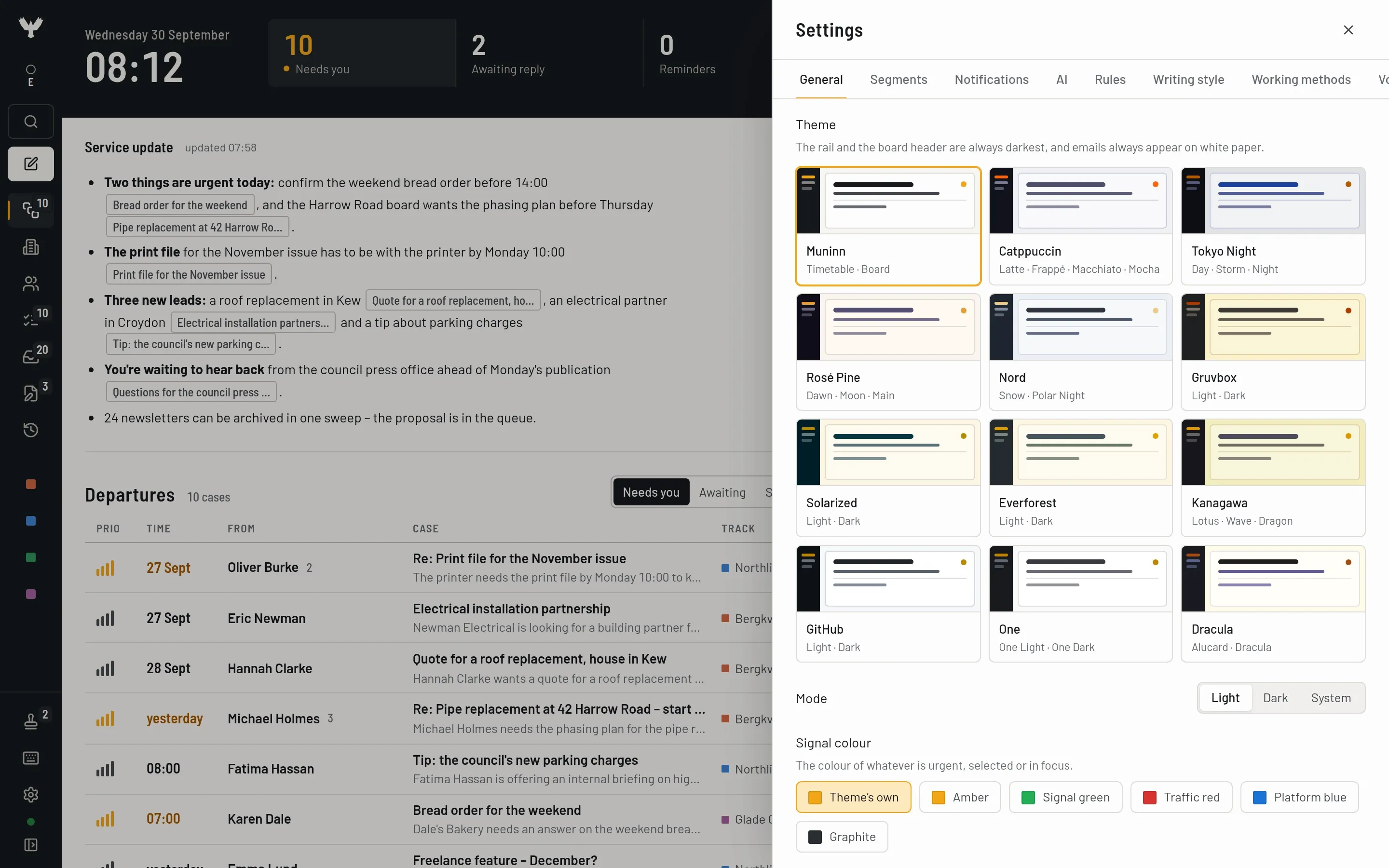
Appearance

Choose a theme and density.

  • Twelve theme families in light and dark; optionally follow the system
  • Signal colors: Amber, Signal green, Traffic red, Platform blue, Graphite or the theme's own
  • Density: compact, normal or roomy
  • Hide views or change their order
  • Keyboard shortcuts everywhere, with ? for help
  • Interface in English and Swedish
Appearance – Screenshot with fictional demo data.

Draft checks before sending

Catch common mistakes before an email goes out.

  • Checks leftover placeholders, mentioned but missing attachments and an empty subject
  • Warns about unexpected recipients, greeting names and the wrong reply identity
  • Checks run locally without an AI call; review warnings before sending

How you replied before

Find your own replies to similar questions.

  • Shows earlier questions alongside your sent replies and links to the source
  • Prioritizes the same account and shows up to three examples
  • Search uses the local index and existing embeddings

Meeting times in a thread

Gather proposed times without a calendar connection.

  • Extracts explicitly proposed times, intervals, location and duration from the thread
  • Shows times in your time zone, with source email and any assumed time zone marked
  • Helps write a confirmation draft; does not create a calendar event

Follow up if there is no reply

Let a reminder watch for a reply.

  • Choose when to follow up a sent email if the recipient has not replied
  • A reply in the thread ends the watch
  • Muninn can prepare a follow-up draft for review before sending

Your promises in sent email

Gather what you have promised to do.

  • Finds your promises in sent email and shows the source, recipient and date when available
  • See promises in the Briefing, change dates or mark them done
  • You can turn off promise extraction in settings

Since last time

See what changed after your last review.

  • Gathers new and resolved cases, due promises and follow-ups, sent messages and rule actions in the Briefing
  • Items link to their sources so you can read further

Scheduled agent tasks

Recurring tasks within your chosen scope.

  • Choose an instruction, account or business, schedule and time zone
  • Tasks proposed by the agent stay inactive until you activate them
  • Pause, run now and read the run history; proposed actions enter the approval queue

Precomputed contact knowledge

Contact patterns are prepared in the background.

  • Calculates contact frequency, reply times and relationships locally when the server has time
  • Links outgoing messages and delivery reports per recipient
  • The agent can use the prepared data; missing or stale information is marked

Outbox with pacing and emergency stop

Track the agent’s sending and stop the queue.

  • Agent messages pass through the outbox with quotas, pacing and delivery status per recipient
  • Pause the outbox or use the emergency stop to halt pending agent messages
  • An uncertain delivery is not retried automatically; you decide what happens next
  • The emergency stop applies to the agent queue, not your direct sends from the composer

Approval queue with bound approvals

Approve the exact material you reviewed.

  • Gathers the agent’s missions and proposals in the approval queue
  • Approval is bound to messages, draft version, recipients and sender identity
  • Changed material requires fresh approval; permanent deletion is handled separately

Android app (beta)

Read and act from your phone through your own server.

  • Android 10 or later, paired with your Muninn server using a QR code or link
  • Five tabs: Briefing, Inbox, Agent, Approve and More
  • Read threads, write manually or with AI, approve proposals and use the outbox emergency stop
  • The server handles email and AI; your phone needs a secure connection to it

Server package and pairing

Run the agent on your server and connect your devices.

  • Ubuntu Server package without a desktop, with Node and the web client included
  • Pair your desktop clients and Android with a time-limited QR code or link
  • Revoke devices in settings; the device token is stored securely on the client
  • Designed for one user; secure remote access can be set up with Tailscale

Thunderbird import you choose

Choose a profile, accounts and options before importing.

  • Add accounts yourself or explicitly select a Thunderbird profile to import
  • Choose accounts, identities and signatures in the import flow
  • Passwords, address book and local email archive are separate options, off by default
  • The preview does not decrypt passwords; the Thunderbird profile remains untouched

Where does my data go

See the destination for each AI feature.

  • Settings show the provider and endpoint for classification, summaries, drafts, agent, web, speech and embeddings
  • See whether processing is local or external, region, retention policy and fallback model
  • Missing keys, disabled features and blocked destinations are marked
  • The overview reads configuration without making model or destination calls